Year-End Content Audit: Refreshing Old Posts with New Images
Most blogs treat old posts like furniture in storage.
They're not. They're inventory. And in some cases, the highest-leverage update isn't a new post - it's refreshing five old ones that already rank.
Here's the year-end audit playbook.
Table of Contents
- Why Old Posts Matter More Than You Think
- What "Refresh" Means (Three Types)
- How to Pick Which Posts to Refresh
- The Refresh Workflow
- Time Math
- What an Image Refresh Actually Moves
- Common Audit Mistakes
- Build a Refresh Cadence
- Cross-Reference: Image Style Standards
- Documentation: What to Track
- When to Skip Image Refresh
- Run This Audit This Week
Why Old Posts Matter More Than You Think
A post that's been live for 18 months has done the hard work:
- Earned backlinks
- Built crawl frequency with Google
- Accumulated whatever SEO juice it's going to accumulate
A small refresh can compound those existing assets. A new post starts from zero.
For most blogs, the highest-leverage move in November-December isn't writing - it's selectively refreshing what's already ranking.

What "Refresh" Means (Three Types)
Type 1: Image refresh
Update old stock-photo headers and inline images to match your current locked style. Visual coherence boost. Modest CTR/share lift.
Type 2: Content refresh
Update outdated stats, dates, tool recommendations. Re-publish date for the search bot signal.
Type 3: Structural refresh
Add new H2 sections, deeper internal linking, refreshed CTA. Bigger SEO move.
This post focuses on Type 1 - because it's the cheapest to do and surprisingly effective.

How to Pick Which Posts to Refresh
Don't refresh everything. Pick by ranking + traffic.
Use Search Console:
- Open Search Console → Performance → Pages
- Filter to last 90 days
- Sort by impressions
- Look at the rank 6-15 posts (page 1 borderline)
These are the ones an image (and metadata) refresh can push to top 5. Not the rank 50+ ones - those need bigger work.

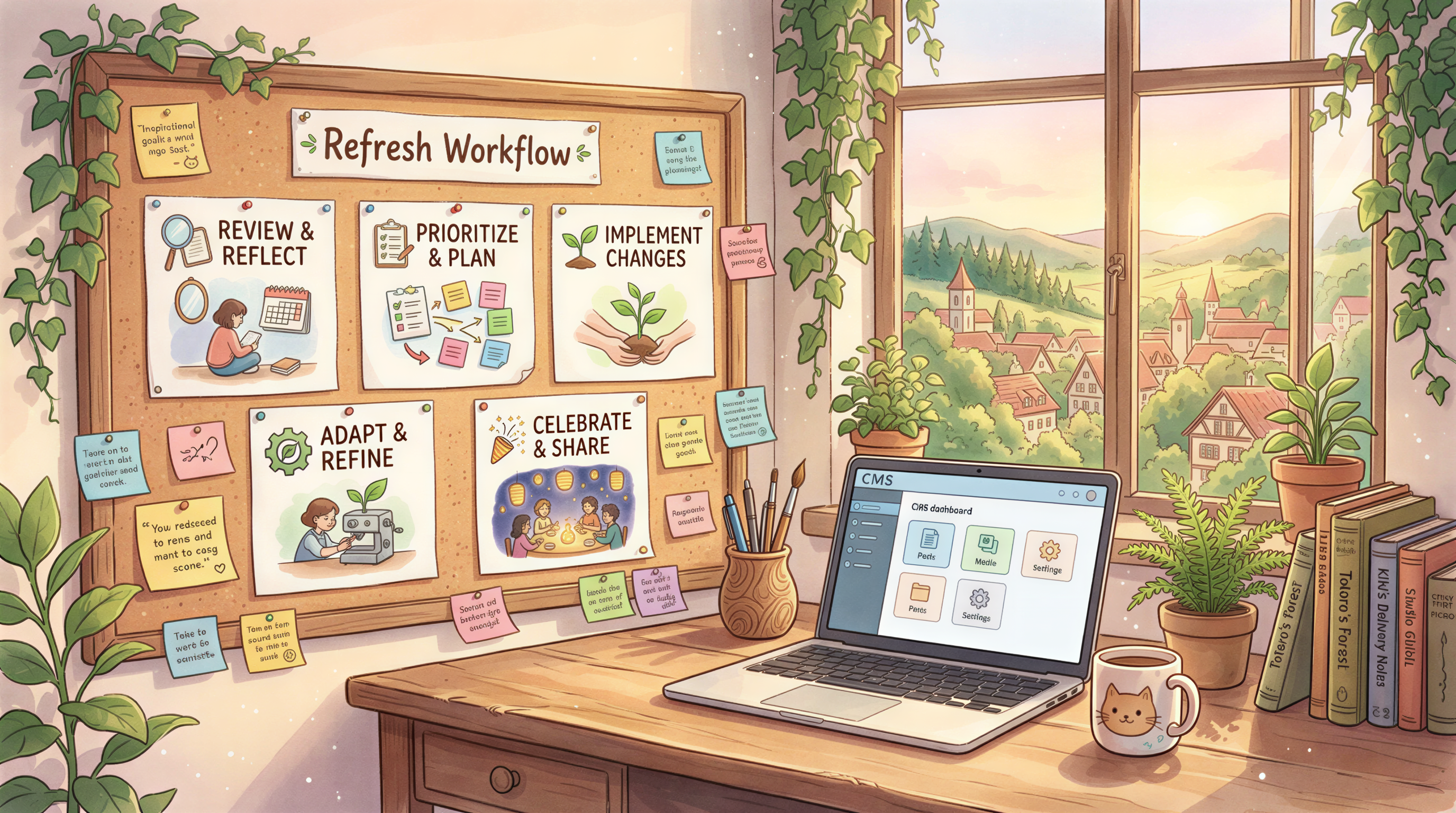
The Refresh Workflow
For each candidate post:
Step 1: Audit current images
- Stock photos? Definitely refresh.
- AI images in old style? Refresh to current locked style.
- Custom illustrations / photos that still hold up? Skip.
- Diagrams / screenshots that are still accurate? Skip.
Step 2: Generate replacements
Open Postpix. Use your current locked style.
For each image slot in the old post: paste the section heading, generate, download.
Step 3: Replace in CMS
Upload new images. Replace old ones (don't just add - replace).
Update alt text where outdated.
Step 4: Update post metadata
- New "last updated" date
- Refresh title if needed (keeping the URL slug)
- Update OG image to the new header
Step 5: Re-submit to Search Console
URL Inspection → Request Indexing.
Time Math
Per post: ~20 minutes.
For 10 posts: ~3-4 hours total.
Compared to writing 10 new posts: ~30+ hours.
What an Image Refresh Actually Moves
Honest about expectations:
- CTR in search: small but measurable lift (better OG image = better social CTR; no direct SERP CTR change)
- Time on page: small lift if old images were jarring
- Share rates: noticeable lift if your locked style is recognizable
- Rankings: indirectly via re-crawl, sometimes a small bump
Don't expect 10x. Expect 5-15% improvements stacked across many posts.

Common Audit Mistakes
- Trying to refresh every post - takes too long, missing the leverage point
- Generating in a totally new style - inconsistent with your current blog
- Forgetting alt text - accessibility regression
- Changing URL slugs - SEO death move
- Not re-submitting to Search Console - the bot might wait weeks to re-crawl
Build a Refresh Cadence
A working pattern:
- November: refresh 10 posts
- December: refresh another 5
- January: review which moved, refresh 5 more
By end of Q1, you've refreshed 20+ posts with maybe 6 hours of total work.
Cross-Reference: Image Style Standards
If you're refreshing, your locked style should be defined first.
Read: Blog Image Styles That Get Clicked and Custom Blog Banners Without a Designer.
Lock the style. Then audit.
Documentation: What to Track
Keep a simple spreadsheet:
| Post URL | Old image style | New image style | Refresh date | 30-day delta |
|---|
After 90 days, look at the deltas. Patterns emerge:
- Which posts moved most? (often the ones with worst original images)
- Which moved least? (often the ones whose original images were already fine)
Use the patterns to pick next year's audit candidates.
When to Skip Image Refresh
Don't bother with image refresh if:
- The post is genuinely outdated (content needs the bigger refresh)
- It's a thin post that should be deleted or merged
- The current images are already in your locked style
Energy goes to where it has leverage.
Run This Audit This Week
Block 90 minutes. Pull your top 10 borderline posts from Search Console. Run the workflow.
Compare 30-day metrics to baseline.
Postpix. Pricing for credits at scale.
Generate Your First Blog Banner
Join thousands of content creators who save hours every week with AI-generated blog images.
Pay for credits when you need them. No monthly fees.
Use your credits whenever you need them. No rush.
Use images for any project—personal or commercial.